
Personal Time Intelligence for Windows
Understand where your time goes. See what your day was really made of.
Focus automatically captures your computer activity so you can understand where your time goes — today and over time — privately on your device.
Windows 10/11 · x64
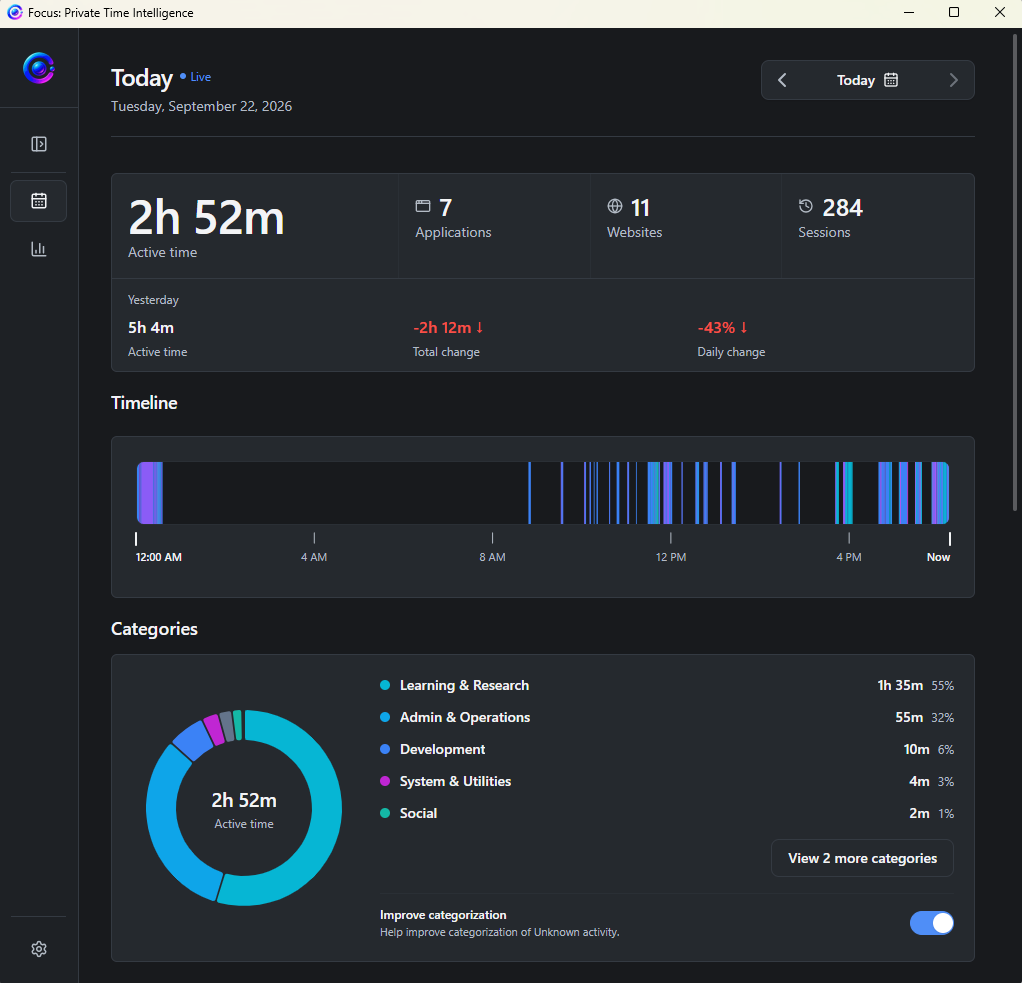
Your activity, organized
Your activity, turned into understanding.
Focus quietly builds a private record of the applications, sessions, and categories that make up your day. No manual timers. No productivity score.
Today
See what happened.
Review active time, applications, and sessions in the context of a real day.
Trends
Notice the pattern.
Explore how your time changes across recent days and weeks without reconstructing it manually.
Context
Understand where it went.
Turn individual applications and activity into useful categories and a clearer personal history.
How it works
Automatic from the moment you start.
Focus quietly observes your computer activity and turns it into a timeline you can understand later — without asking you to reconstruct your day.
Install & launch
Install Focus on Windows and let it run quietly in the background. No manual timers or account required.
Focus records your activity
Focus records your active applications and builds a timeline of where your computer time goes.
Understand your time
Review your activity history to understand your applications, categories, daily activity, and patterns over time — all from your own computer.
Private by architecture
Your time belongs to you.
Focus observes information about how you use your computer. We designed the architecture accordingly. Your detailed activity stays local to your device.
Your computer
Detailed activity
No activity cloud
No account required
There's no Focus account required to use Focus or access your own activity history.
Delete your data
Purge your stored activity history directly from the app whenever you want.
Your detailed application activity and history are stored locally on your computer and aren't synced to Ripple Studios.
Read our Privacy PolicyPersonal Time Intelligence
Understand what your time actually looked like.
Focus automatically turns your computer activity into meaningful context, helping you understand how your day actually unfolds.
See the applications, categories, and daily activity that make up your time — without reconstructing it manually.
01
Applications
See where your computer time goes.
02
Categories
Turn individual activity into meaningful groups.
03
Daily summaries
See the shape of your day instead of a list of timers.
Built for the background
Quiet by design.
A native Windows application built to stay out of your way.
Automatic
No timers to start or stop.
Lightweight
Designed for background use.
Offline
Core activity tracking works locally without a cloud connection.
FAQ
A few things worth knowing.
The essentials about how Focus works and how your activity stays yours.
Focus for Windows
Your time. Your patterns. Your data.
Start understanding where your time goes.